
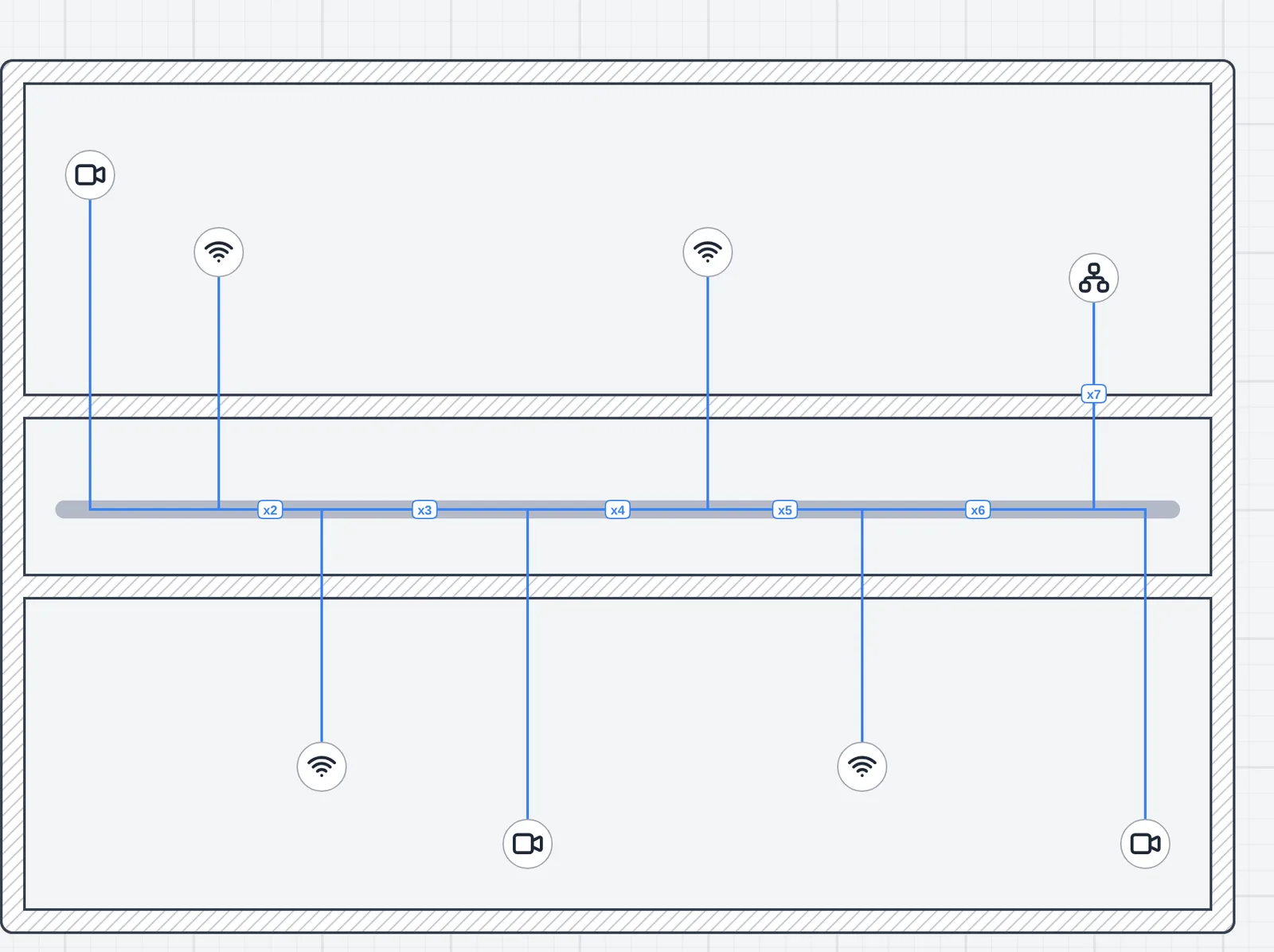
Drawing the cables is the slowest part of a network floor plan. Every access point, camera and desk needs its own line to a switch, each one bent along the corridor and laid in the tray, and on a big floor that is an afternoon of dragging. Autoconnect now does it from the Network Cables tool, for a whole floor at once.
Pick the devices, then the switch
Open the Network Cables tool and its bar has an Autoconnect menu. It lists Unconnected devices (everything with no cable yet) and each type that has some, such as access points or cameras, with how many are waiting. Pick one, then:
- Connect to nearest cables each device to the switch or rack its cable would be shortest to.
- A click on a switch or rack cables them all to that one.
- Esc or Cancel stops without laying anything.
The whole run is one step, so one Undo takes every cable back. Run Unconnected devices again after adding a few cameras and only the new ones are cabled.
Nearest means the shortest cable
The switch closest on the plan is often not the closest by cable. One behind the wall may be 7 m away in a straight line and 46 m along the tray, while another 17 m of cable away is the better pick. Autoconnect builds the real route to every switch and rack on the floor, measures it, and picks the shortest, so the cable lengths in the report are the ones you will buy.
The trays come first
A tray or conduit within 2 m of the device or the switch is always used: that is where the installer will put the cable, even when a route outside it would be a little shorter. The cable drops into the run, follows the runs joined to it through corners and T junctions, goes in and out at the run’s entrances if it has any, and leaves at the point nearest the switch. With no run that close, it takes one bend from the device to the switch.
The cables lie on the runs like the ones you draw, so they move when you drag the tray, and they count in each conduit’s size and in the materials report. The details are on the cable trays and conduits page.
A switch past 48 ports
No device is skipped because its switch is full. When the cables take a switch past 48 ports, Autoconnect lays them anyway and tells you how to split it, such as 48p + 16p. Patch panels and switches mounted in a rack are reached at their rack; the port is yours to pick in the rack designer.
On every plan
Autoconnect is free, on the Free and Pro plans. It works one floor at a time for now, without going through a riser to another floor. Everything else is on the Autoconnect page. If it picks a route you wouldn’t, write to [email protected] with the plan.