
Strucit lets you draw cable trays and conduits on the floor plan, snaps your cables onto them, sizes each conduit from the cables it carries, and lists every bracket, conduit body and clamp the installation needs.
How it works
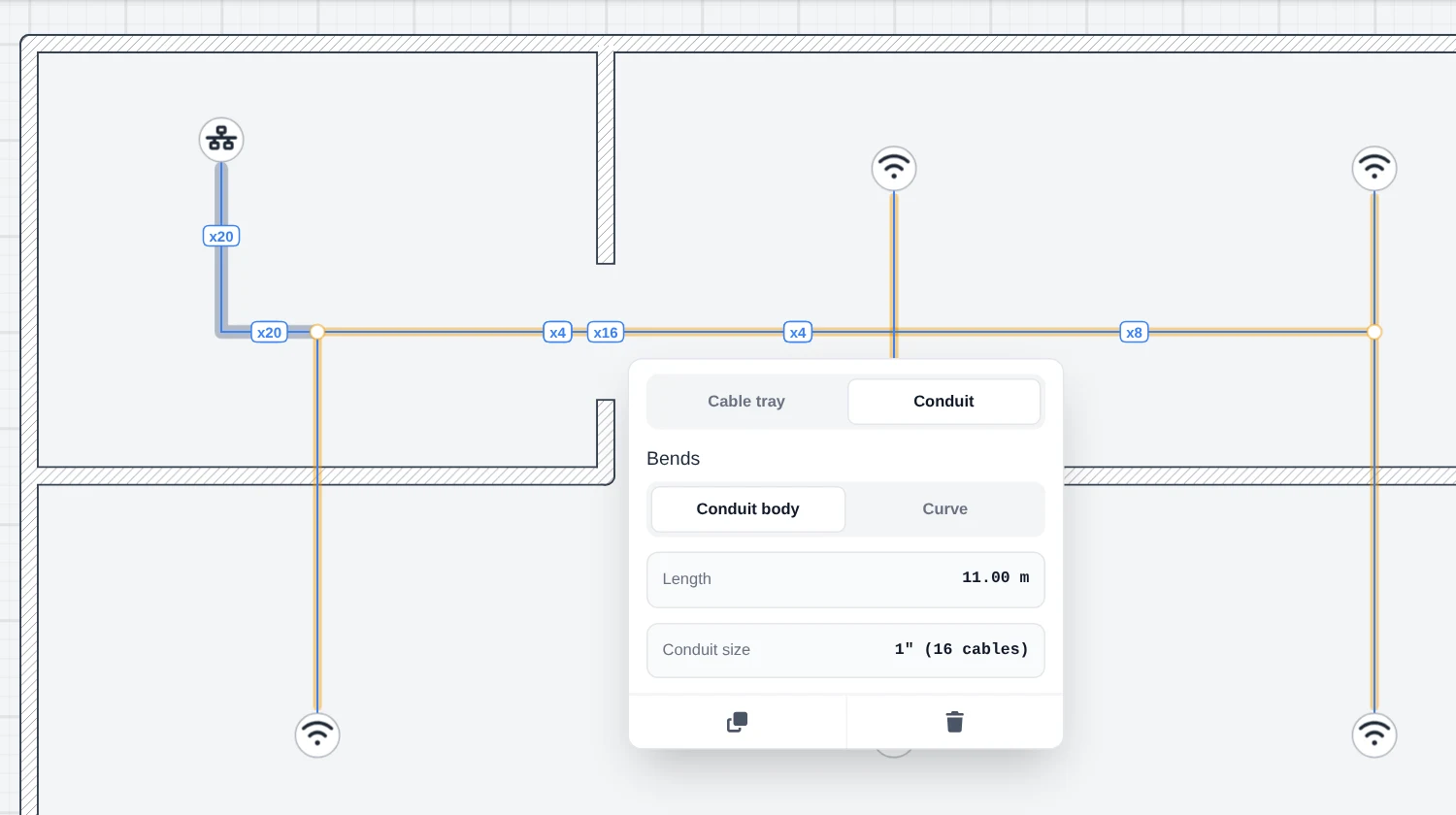
- Pick Tray / conduit in the Build tools and choose Cable tray or Conduit. For a conduit, choose how it turns its bends: through a conduit body, or a curve piece.
- Click along the route to place its points, then press Enter to finish. Points snap onto cables already drawn, so a run laid over existing cables follows them exactly.
- Draw the cables along it. With the cable tool, a click near a tray or conduit snaps onto it and the cable follows the run until you leave it.
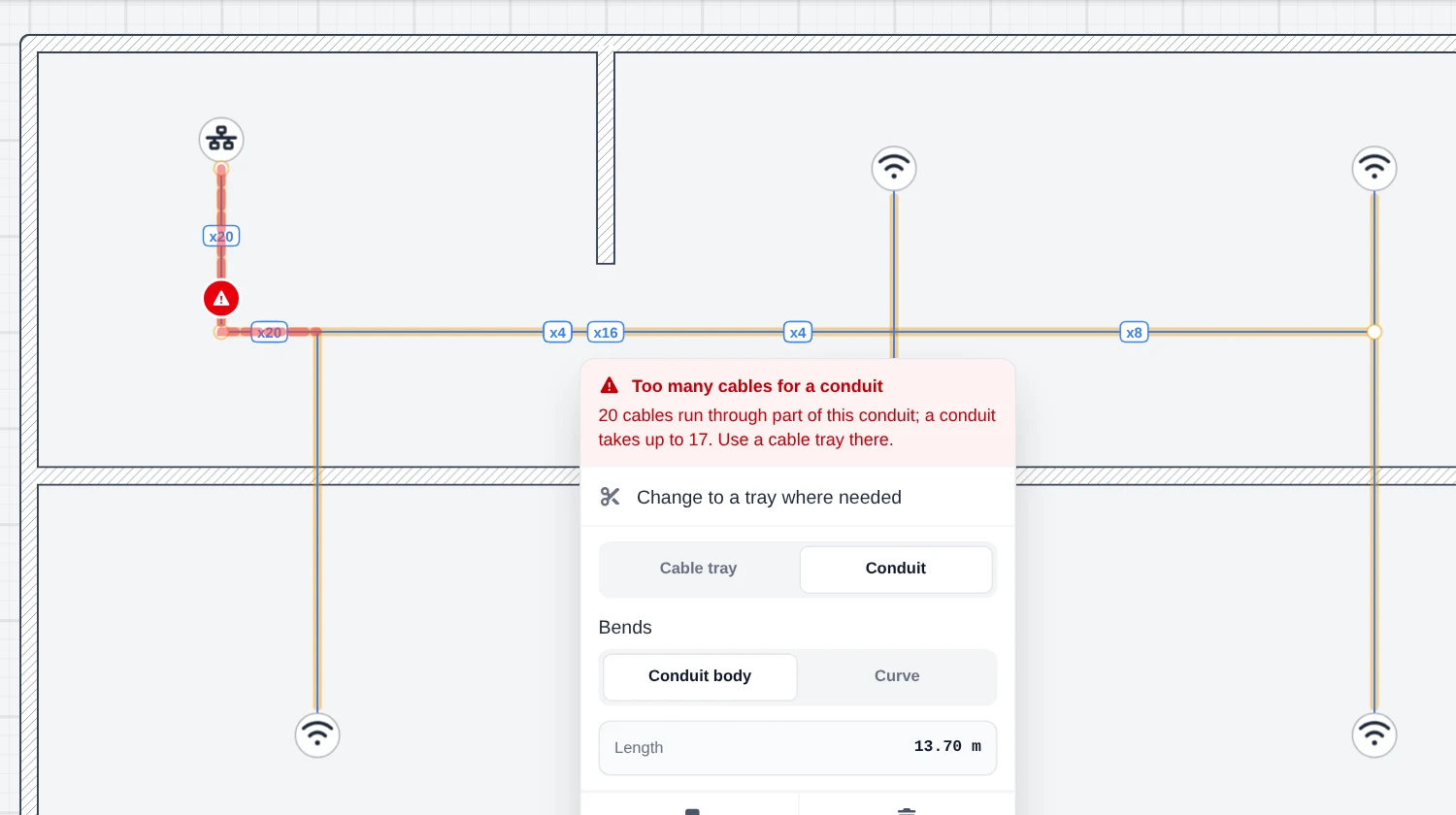
- Select a conduit to see the size it needs. Where more than 17 cables pass, that stretch turns red; Change to a tray where needed cuts the conduit there and makes that part a tray.
- Generate the report for the materials.
What the report lists
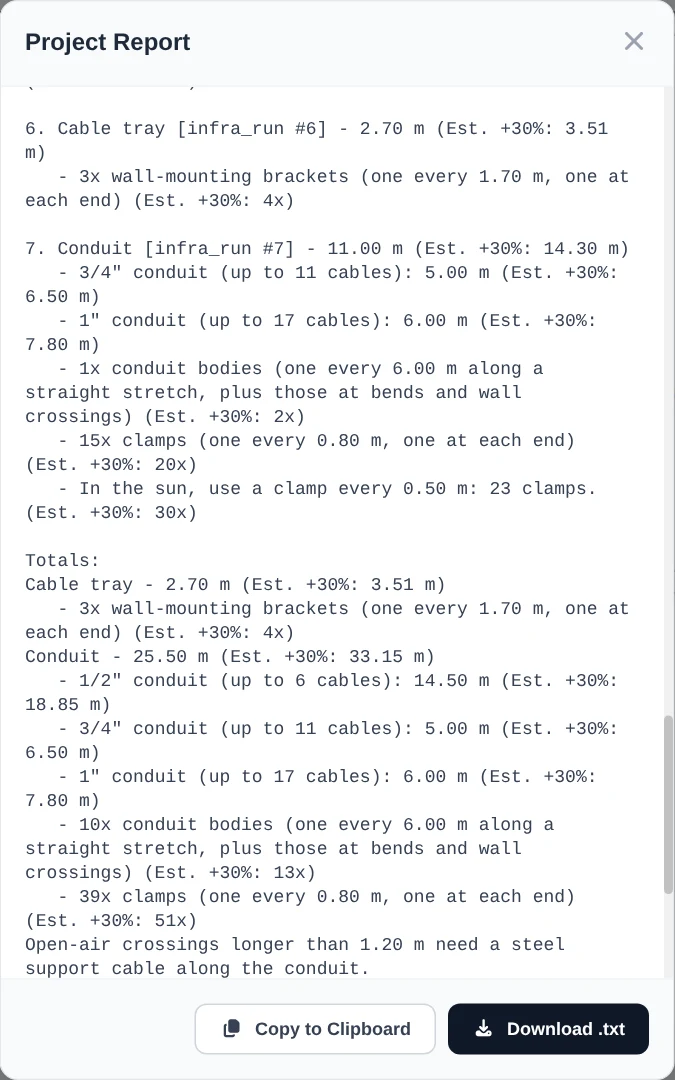
- Each run with its length, measured and with 30% added, as cable lengths are.
- Conduit sizes per part of each conduit: 1/2” up to 6 cables, 3/4” up to 11, 1” up to 17, with the metres of each.
- Tray brackets: one every 1.70 m, plus one at each end.
- Conduit bodies: every 6 m of straight run, at each bend, on both sides of a wall the conduit crosses, and where one conduit ends on another.
- Clamps: one every 0.80 m, with the count at 0.50 m for stretches in the sun.
- Totals per kind, with the metres of conduit of each size.
- Power points: an outlet for each device not powered over Ethernet. Switches, server racks, PCs and notebooks always get one.
Every count comes with its 30% suggestion next to it, so the list is ready for a quote with spare parts included.
Free and Pro
Trays and conduits are Pro, in the text report and in the PDF report. The power points list is in the free text report too.
What it doesn’t do
- The fill table is for Cat5/Cat5e cable. Thicker cable (Cat6A, fibre, power) fills a conduit sooner; size those yourself.
- The spacings (1.70 m, 6 m, 0.80 m) are fixed for now.
- Sun exposure and open-air crossings are notes in the report, not something you mark on the plan.
- A cable is not tied to the run it follows: moving a tray later leaves the cables where they are.
- PoE is read from the device’s specs text, and a PoE switch’s power budget is not checked.